













 Shopping guides
 Help
Help
 Log in

What is ergonomics in the workplace?
Ergonomics in the workplace consists of adapting the workstation, the tools and the way of working to the needs of each person. Its aim is to reduce discomfort, improve posture and make for a more comfortable and safer working day.
It is not just about having a good chair. The height of the desk, the position of the screen, the lighting, foot support, breaks and the organisation of tasks also play a part. When all these elements are properly adjusted, working feels more natural and forced postures are reduced.
This article explains what ergonomics is, what benefits it brings and how to apply it at an office workstation. If you want to look deeper into the most suitable seat, you can read our guide on how to choose an ergonomic chair.
Article index

What is ergonomics?
Ergonomics is the discipline that studies the relationship between people and the spaces, products or systems they use. In the working environment, it seeks to make the work adapt to the user, and not the other way round.
Applied to an office, ergonomics helps to review how you sit, where you place the screen, how high the desk is or how you use the keyboard and mouse. An ergonomic workstation lets you keep a comfortable posture, change position easily and avoid unnecessary effort during the workday.
That is why ergonomics should not be understood as a perfect, fixed posture, but as a set of adjustments that help you work better.
Benefits of ergonomics in the workplace
Applying ergonomic criteria can improve both the worker's wellbeing and daily productivity. These are some of its main benefits:
- ✓Reduces discomfort in the back, neck, shoulders and wrists.
- ✓Helps prevent forced postures during the workday.
- ✓Improves comfort when working many hours seated.
- ✓Lessens eye strain if the screen and lighting are well adjusted.
- ✓Encourages concentration and daily performance.
- ✓Contributes to creating safer and healthier work spaces.
In office jobs, having adjustable office chairs can make an important difference, especially when combined with a suitable desk and good postural habits.

Types of ergonomics in the workplace
Ergonomics can be applied from several approaches. The most common are:
Physical ergonomics
It is the best known. It focuses on posture, movement and the relationship of the body with the workstation. It includes the chair, the desk, the keyboard, the mouse, the screen and the space available to move around.
In an office, good physical ergonomics seeks to have the back supported, the feet with a stable base and the arms able to work without tension.
Visual ergonomics
It deals with lighting, reflections, screen brightness and viewing distance. It is key in work with a computer, since poor monitor placement can cause eye fatigue or tension in the neck.
You can expand on this topic in the guide about visual ergonomics at work.
Organisational ergonomics
It analyses how work is structured: schedules, breaks, the pace of tasks, communication and the distribution of responsibilities. Good furniture helps, but it is also important to organise the workday well to avoid accumulated fatigue.
Environmental ergonomics
It takes into account factors such as noise, temperature, ventilation and the lighting of the space. These are details that directly influence comfort and concentration.

Basic principles to improve ergonomics at your workstation
To apply ergonomics at work you do not always need to change all the furniture. You can start with these adjustments:
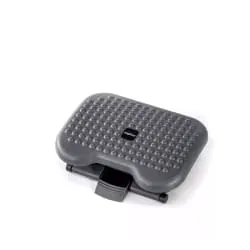
- ✓Adjust the chair. The back should remain supported and the feet should rest on the floor or on a footrest to improve support.
- ✓Adjust the height of the desk. When typing, the shoulders should be relaxed and the arms close to the body. If you are renewing your space, check out office desks for workstations adapted to your routine.
- ✓Position the screen properly. It should be in front of you, at a comfortable distance and with the top near eye level.
- ✓Keep the keyboard and mouse close. This way you will avoid working with your arms too stretched out.
- ✓Take short breaks. Standing up, walking for a few minutes or changing posture helps reduce stiffness.
- ✓Look after the lighting. Avoid direct reflections on the screen and try to work with enough light.
Examples of ergonomics in the workplace
Ergonomics can be applied with small adjustments at the workstation. These are some common examples and the benefit they bring:
| Ergonomic example | What it improves |
|---|---|
| Using an adjustable chair with lumbar support. | Helps keep the back better supported throughout the workday. |
| Placing the monitor in front of the user. | Reduces unnecessary neck turns and improves visual posture. |
| Keeping the feet resting on the floor or on a footrest. | Favours a more stable and comfortable posture. |
| Working with the keyboard and mouse close to the body. | Prevents having the arms too stretched out and reduces tension in the shoulders. |
| Avoiding direct reflections on the screen. | Lessens eye strain and improves concentration. |
| Taking short breaks during the workday. | Helps reduce stiffness and encourages movement. |
| Keeping frequently used objects within reach. | Prevents repeated movements or unnecessary forced postures. |

Ergonomics in remote work
When working from home it is common to use spaces that were not designed as an office: dining tables, auxiliary chairs or laptops placed too low. This can cause discomfort if kept up for many hours. If you are looking for a more practical application in your day to day, you can check out these tips on ergonomics in office work.
To improve ergonomics at home, it is a good idea to choose a stable spot, look after the lighting, raise the screen if you use a laptop and have an external keyboard and mouse. It is also important to use a suitable chair and take breaks.
To go deeper without repeating content, you can read the specific guide on ergonomics in remote work.
Conclusion
Ergonomics in the workplace helps adapt the workstation to the person so as to work with more comfort, safety and efficiency. It does not depend on a single element, but on the combination of chair, desk, screen, lighting, accessories and daily habits.
Reviewing small details can greatly improve your posture and reduce discomfort. And if you are preparing an office or study at home, at Officechair365 you will find ergonomic chairs to work comfortably designed to build healthier work spaces.


