


















 Shopping guides
 Help
Help
 Log in

Visual ergonomics at work
Taking steps to avoid future damage to our vision is essential for those who use a computer every day
The overexposure of our eyes to screens means that visual ergonomics is becoming increasingly important in our society. Taking steps to avoid discomfort and possible damage to vision is essential for all jobs that require intensive computer use, whether in the office, working from home or studying.
As well as looking after body posture, we should also pay attention to screen distance, lighting, visual breaks and monitor height. All these factors have a direct influence on our visual comfort and on the way we work throughout the day.
Article index

What is ergonomics?
Ergonomics is the study of human behaviour, our abilities, limitations and other characteristics, focused on designing elements, tools, machines, systems or tasks that make it possible to build safe, comfortable and functional environments for people.
Applied to the working environment, ergonomics aims for the workstation to adapt to the user and not the other way around. This includes the chair, the desk, the screen, the lighting, the accessories and the postural habits we keep throughout the day.
Ergonomics promotes and requires a multidisciplinary approach to its application. For this reason, it can encompass knowledge from areas such as biology, anthropology, psychology, engineering, physiology, statistics, occupational medicine, anatomy, industrial design and optometry.

If you want to explore this concept further, you can check out our guide on what ergonomics at work is, where we explain how it influences health, comfort and daily productivity.
Before designing or adapting a workstation, all the elements should be assessed to spot possible improvements. However, in many cases ergonomics is applied reactively, that is, once discomfort, fatigue or problems arising from poor use of the workspace have already appeared.
The ideal is to anticipate. Correctly adjusting the monitor, choosing a suitable chair, positioning the keyboard well and controlling the lighting can help prevent discomfort before it becomes a recurring problem.

Visual ergonomics
Visual ergonomics is the part of ergonomics that focuses on improving all the aspects of the workstation that affect vision. This includes the distance between the eyes and the screen, the height of the monitor, brightness, glare, ambient lighting and visual breaks.
Due to the continuous use of computers, mobile phones and screens, visual ergonomics is an aspect that companies and workers must increasingly take into account. Protecting visual health helps improve overall wellbeing, reduces fatigue and can have a positive impact on daily performance.
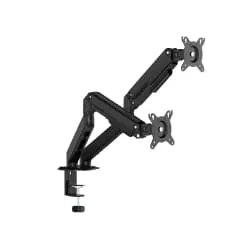
A screen that is too low, too close or badly oriented does not only affect the eyes. It can also cause us to tilt the neck, push the head forward or strain the shoulders. That is why, in many workstations, it is useful to use monitor stands, since they make it possible to raise the screen and place it at a more comfortable height.
When developing a strategy to improve and protect visual ergonomics, these steps help to better organise prevention at the workstation:
01. Identify threats to vision
Glare, badly placed screens, poor lighting or long hours without breaks.
02. Define the necessary equipment
Monitor stands, filters, suitable lighting or ergonomic accessories.
03. Detect the people exposed
Workers who carry out long tasks in front of screens or in spaces with poor lighting.
04. Reduce the risk
Apply adjustments to the workstation to reduce visual discomfort.
05. Assign the right equipment
Adapt each resource to the needs of each person and their workspace.
06. Provide general training
Encourage healthy visual habits throughout the working day.
07. Offer specific recommendations
Adapt the guidelines according to the work area, type of task and screens used.
08. Review and evaluate the programme
Periodically check whether there are new needs or possible improvements.

Symptoms of poor visual ergonomics
Having poor visual ergonomics can cause various symptoms that affect both eye health and general wellbeing. These symptoms appear when the eyes are subjected to conditions that are not very suitable for carrying out visual tasks, such as working in front of a screen, reading digital documents or being exposed to incorrect lighting for prolonged periods.
One of the most common problems is visual fatigue, also known as asthenopia. This disorder presents as a feeling of tiredness in the eyes, accompanied by heaviness, burning, itching or difficulty maintaining concentration. Those who suffer from it often rub their eyes or close their eyelids frequently to try to relieve the discomfort.

Another frequent symptom is dry eyes, caused in many cases by the unconscious habit of blinking less when staring at a screen. This can lead to irritation, redness and the uncomfortable feeling of having grit in the eyes.
Poor visual ergonomics can also trigger headaches, especially in the forehead and around the eyes, due to the constant effort to focus. These headaches can get worse if the screen is too close, if the text size is small or if there is glare on the monitor.

These symptoms can be joined by discomfort in other parts of the body, such as the neck and shoulders. This happens because a poor visual position usually leads us to adopt incorrect postures to compensate for the discomfort: bringing the head closer to the screen, tilting the neck or hunching the back.
In addition, prolonged exposure to screens can affect rest, especially when digital devices are used during the last hours of the day. The light from screens and the accumulated visual effort can disturb the feeling of rest and make it harder to switch off.
All of this affects not only physical health, but also the capacity for attention and productivity. People with poor visual ergonomics tend to experience lower concentration, more tiredness and a feeling of constant effort in tasks that require continuous visual attention.

Visual ergonomics tips
One of the most effective ways to reduce the risk of visual discomfort is to train people on the ergonomic use of the computer. This is one of the most widely used tools in office work and, nevertheless, it is not always used correctly.
Ergonomics experts usually recommend working in a neutral posture to minimise the risk of discomfort. This posture not only protects the back and neck, it also facilitates a better relationship between the eyes, the screen, the keyboard and the lighting of the environment.
In addition, if you want to expand on this topic with specific recommendations for looking after your eyesight throughout the day, you can read our guide with tips to avoid visual fatigue at work.
Tips to look after visual ergonomics
Well-supported back
Use an ergonomic chair that allows you to recline the backrest and supports the natural posture of the spine.
Adjustable chair
It must adapt to your body to avoid uncomfortable pressure on the legs, back or arms.
Feet firmly supported
Keep them on the floor or on a footrest to improve postural stability.
Balanced head
Avoid tilting it too far forward or backward to reduce neck tension.
Arms close to the body
Keep your arms relaxed and avoid raising your shoulders when typing or using the mouse.
Screen at the right height
Place the top of the monitor close to the line of sight to work with greater comfort.
How to avoid visual fatigue
To avoid visual fatigue when you work many hours in front of a screen, it is a good idea to start by reviewing the distance and position of the monitor. Ideally, sit about 60 centimetres from the screen, roughly the length of an arm, and place it so that you can look slightly downward without straining your neck.
It is also important to adjust the resolution and text size so you can read comfortably, without having to get too close or squint. Likewise, working with suitable ambient lighting helps reduce the contrast between the screen and the surroundings, something especially useful if you spend many hours in front of the computer. Avoid working in the dark using the screen as the only source of light.
Another key habit is taking visual breaks regularly. Looking away from the screen for a few seconds allows the eye muscles to relax and reduces the feeling of tiredness. In addition, remember to blink frequently, since intensive use of digital devices tends to reduce blinking and can encourage dry eyes.
If you notice dryness or irritation, you can consider using artificial tears, always following the recommendations of a professional if the discomfort appears frequently. If you use contact lenses, avoid overusing them during long days in front of the screen if you feel discomfort, dryness or redness.
Finally, review the height of the monitor so you do not tilt your neck unnecessarily. A stand can help you place the screen in a more comfortable, stable position that is aligned with your working posture.
If, because of work, we spend most of the day in front of a phone, a tablet or a computer, we should be aware of the problems this can cause. Anticipating and taking measures is the best way to minimise the impact that this activity has on our visual health.
It is not about giving up screens, but about using them better. Adjusting the distance, reviewing the lighting, resting the eyes and maintaining a suitable posture can make a big difference to daily comfort.
We should look after our eyes by following the advice of visual ergonomics. Sight is a fascinating biological component and cannot be substituted, so it is worth paying attention to it before persistent discomfort appears.
Continuous contact with electronic devices from an early age has meant that visual health and prevention are talked about more and more. That is why applying simple habits at the workstation is a direct investment in wellbeing, comfort and performance.


