













 Shopping guides
 Help
Help
 Log in

How to sit with hip pain without making the discomfort worse
How to reduce pressure on the hip with a stable posture and ergonomic adjustments
Hip pain can become a daily obstacle that affects your wellbeing, your mobility and your performance at work. Spending many hours sitting without a proper posture can make the discomfort worse, since the hip joint bears part of your body weight and can easily become strained if the pelvis is not kept well aligned.
Article index
- How to reduce pressure on the hip with a stable posture and ergonomic adjustments
- Why does your hip hurt when you are sitting?
- Principles of good posture when sitting with hip painexpand_more
- Ergonomic adjustments to prevent or reduce the painexpand_more
- How to sit with hip painexpand_more
- Reduce your hip pain when sitting
Although it is not always possible to avoid sitting for long periods, you can significantly reduce the discomfort by applying ergonomic principles, making small adjustments to your work environment and choosing a chair adapted to your physical needs.
In fact, if your chair does not fit your body well, it can end up affecting your posture and your general health, as we explain in this article about why the office chair you use affects your health.
In this guide we will look at how to sit with hip pain, which mistakes are best avoided and which ergonomic adjustments can help you work, study or spend time in front of the computer more comfortably.

Why does your hip hurt when you are sitting?
The hip can hurt while sitting for many reasons, from structural factors to incorrect postural habits. Understanding the cause helps you choose the right posture and apply the most suitable adjustments.
Poor posture:
Leaning forward, crossing your legs or sitting on the edge of the chair can disrupt the alignment of the pelvis, generating tension in the gluteal muscles, the psoas and the lower back.
Prolonged pressure on the joint:
Sitting for a long time compresses the hip and reduces circulation, which can produce stiffness, a feeling of heaviness and pain.
Muscle weakness:
A poorly strengthened core or weak glutes make the pelvis lose stability, altering the natural support of the body.
Previous problems:
Bursitis, osteoarthritis, impingement or inflammation can be intensified by incorrect postures or an unsuitable seat.
Unsuitable furniture:
Chairs that are too low, too hard or without lumbar support force the body to adopt harmful positions.
Good posture reduces pressure not only on the hip, but also on the spine. To help with this, you can get an ergonomic chair that lets you adjust the height, support your back well and maintain a more natural position throughout the day.
Likewise, having furniture designed to offer support also makes a difference. For example, large XXL office chairs are designed to provide an additional level of support that helps distribute the weight better and reduce pressure on the hips and lower back.
Principles of good posture when sitting with hip pain
When there is hip pain, the correct posture becomes one of the best tools to relieve or prevent discomfort. To achieve this, the pelvis and the spine must maintain a natural alignment that avoids additional strain.
It is also important that the chair supports that posture. The height, the depth of the seat, the firmness and the backrest directly influence how your body weight is distributed. If the chair is too low, too deep or does not let you support your back well, the hip can receive more pressure than necessary.

1. Keep the pelvis neutral
Avoid tilting the pelvis too far forward or backward. A neutral position lets the spine adopt its natural curve and lets the hip distribute the weight in a balanced way, reducing tension on muscles and joints.
2. Distribute the weight evenly
Avoid overloading one side of the body or leaning more on one buttock than the other. An uneven distribution can aggravate hip pain and cause discomfort in the lower back or the pelvis.

3. Align the back with the backrest
Supporting the back avoids unnecessary strain and reduces pressure on the hip flexors. Chairs with lumbar support make it easier to maintain this alignment and help keep the pelvis from sliding forward.
If your posture forces you to hunch over, review your work environment: it may be a clear case of back pain from sitting badly, something that can also end up affecting the hip.
4. Knees at 90 degrees
Adjust the seat height so that the knees are at the same height as the hips or slightly below. Avoid chairs that are too low, as they increase pressure on the hip and the glutes.
If you are unsure which measurements are right for you, you can check these tips for choosing a chair based on height and weight. Choosing a chair that matches your build helps maintain a more stable and comfortable posture.

5. Soles of the feet resting on the floor
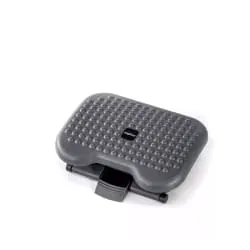
Keeping your feet firmly on the floor stabilises the pelvis and reduces tension in the glutes and hip. If your feet do not reach the floor, use a footrest to improve your posture and prevent your legs from being left suspended.
6. Avoid crossing your legs
Crossing your legs rotates the pelvis and unbalances the weight distribution, which can worsen lateral or frontal hip pain. Keep both feet resting and aligned with the hips.
7. Keep the hips close to the back edge of the chair
This lets the back rest correctly against the backrest and keeps the posture upright in a natural way. Sitting too far forward usually leaves the lower back without support and forces the hip to compensate.
Ergonomic adjustments to prevent or reduce the pain
Besides adopting a good posture, it is essential to adjust the chair and the workspace correctly. Small changes in the seat height, the lumbar support or the position of the feet can reduce the tension built up in the hip during the day.
The aim is for the body not to have to compensate for a poor setup of the workstation. When the chair, the desk and the screen are well positioned, it is easier to keep the pelvis stable, the back supported and the legs relaxed.

Adjust the height of the chair
The ideal height lets the knees stay aligned with the hips or slightly below. If the chair is too high and your feet do not reach the floor, use a stable footrest. This helps keep the pelvis neutral and prevents the hip from bearing an uneven weight.
Use specific cushions
Pelvic-relief cushions, memory-foam cushions or those with an orthopaedic design help distribute the pressure evenly over the glutes and hips. They can also relieve discomfort in the lower back and improve overall posture, especially if the seat of your chair is too firm.

Check the firmness of the seat
A seat that is too hard puts direct pressure on the bones of the hip, while one that is too soft can misalign the pelvis. The ideal is a balance: a firm seat, but with some cushioning, that lets you maintain a natural posture without discomfort.
Ensure good lumbar support
A lack of support in the lumbar area forces the hip and the pelvis to compensate for the curve of the spine, which increases tension and pain. Adjust the backrest of your chair or add extra lumbar support to maintain the natural curve of the spine and reduce pressure on the hip.

Alternate between sitting and standing
Staying seated for hours generates stiffness and overload in the hip. Stand up every 30–40 minutes, even just to stretch for a few minutes, walk or change position. This practice improves circulation, reduces tension and helps maintain hip mobility over the long term.

How to sit with hip pain
Here are practical strategies to sit without making the pain worse and to encourage a better posture during the day. It is not about staying still in a perfect position, but about finding a posture that is stable, comfortable and easy to maintain.
1. Rest well on your sitting bones
The sitting bones, that is, the bones under the glutes, should bear the weight, not the soft part of the hip. If you sit too far back or too far forward, you can increase pressure in sensitive areas.
2. Raise the hips slightly if you feel pressure
Placing a cushion under the glutes or using a higher chair can reduce the strain on the joint. The elevation should be slight so as not to leave the feet dangling or strain the knees.

3. Recline the backrest to 100–110 degrees
A slight backward tilt helps distribute the weight between the back and the pelvis, reducing pressure on the hip. Avoid, however, reclining too far if you need to work in front of the computer, because you could end up pushing your neck forward or hunching your back.
4. Avoid sitting on objects in your pockets
A wallet, some keys or a mobile in your back pocket produce a lateral tilt that can cause pain in the hip, the pelvis or the sciatic nerve. Before you sit down, empty your back pockets to keep both sides of the body at the same level.

5. Keep what you need close by
Avoid sudden twists to reach objects on the desk. Turn your whole body when necessary and keep the items you use most in front of you, such as the keyboard, the mouse, the phone or the notepad.
6. Change your posture consciously
Micro-adjustments, such as moving your legs slightly, tilting the pelvis, readjusting the backrest or changing the support of your feet, help reduce stiffness. The best posture is not a fixed position, but a posture that you can gradually adapt without losing alignment.
7. Complement your posture with active breaks
Stand up for a few minutes to stretch the flexors, glutes and lower back. This reduces the strain built up in the hip and helps recover mobility, especially if you work many hours seated in front of the computer.
Reduce your hip pain when sitting
Sitting with hip pain does not have to become a disabling experience. With suitable ergonomic adjustments, a conscious posture and quality furniture, it is possible to significantly reduce the discomfort and prevent it from getting worse over time.
Listen to your body, adapt your environment and check whether your current chair lets you keep the pelvis stable, the back supported and the feet well positioned. Even small changes in posture, seat height or lumbar support can make a big difference in your daily quality of life.
If the pain is persistent, intense or accompanied by loss of mobility, it is advisable to consult a healthcare professional. Ergonomics can help improve your daily comfort, but it does not replace a medical assessment when there is a previous injury or condition.


