

















 Shopping guides
 Help
Help
 Log in

How to maintain correct posture in front of the computer
Whether because of our professional path, our studies or simply for leisure, the computer is already part of our everyday life. The arrival of the internet has changed the way we work, learn, communicate and enjoy our free time.
Article index
Most of these changes have been positive: new professions have emerged, information is more accessible than ever and there are new forms of leisure that would have been unthinkable decades ago.
Even so, spending many hours sitting in front of a screen can also have physical consequences. Poor posture maintained over time can cause back discomfort, neck tension, eye strain, wrist overload or a general feeling of tiredness.
That is why, in addition to having a good workspace, it is important to understand what ergonomics at work is and how to apply it in your day-to-day in a simple way.
If you want to know which positions and habits you should adopt when working in front of the PC, take note of these 6 tips to maintain correct posture in front of the computer and prevent fatigue, injuries and long-term physical problems.


1. Your feet should be resting on the floor
To start working while seated in front of the computer, your feet should be completely resting on the floor. This position helps to distribute the body weight better, improves stability and prevents the hips from adopting forced positions.
Make sure that your chair and your desk allow you to adjust the height in order to maintain a comfortable posture. Ideally, the knees should form an angle of approximately 90 degrees and the feet should not be left dangling or resting only on the tips.
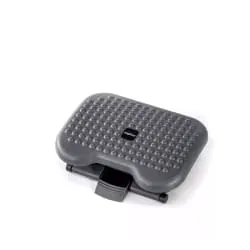
If, due to the height of the desk, the chair or your build, you cannot rest your feet properly, use a footrest. This accessory can help you maintain a more natural position and avoid unnecessary twisting of the hips.

2. Your legs should have enough space
One of the most common mistakes when choosing a work desk is to focus only on the length and not pay attention to the depth or the free space for the legs.
This can become a problem. If the desk is very narrow or has obstacles underneath, your legs will not have freedom of movement. As a consequence, you may end up crossing your legs, turning your hips or sitting too far from the desk.
To avoid this, choose a desk with enough depth and free space underneath. You should be able to get close to the keyboard without hunching your shoulders, rest your forearms comfortably and move your legs without bumps or restrictions.
A well-organised workstation also makes it easier to apply other postural habits. If you want to go deeper into this point, we recommend reading this guide on how to sit correctly at work.

3. Your back should be completely supported
This is one of the most important aspects when working while seated in front of a computer. To take care of your back, you need a chair that allows you to support your body correctly and distribute the weight in a balanced way.
A well-adjusted ergonomic chair or gaming chair can help you maintain a healthier position during long days of work, study or gaming. The important thing is that the backrest follows the natural curve of the spine and that you can adjust the height in order to rest your feet and position your arms correctly.
Try to make sure that the chair you choose allows you to fully support your back, without having to lean forward or stay seated on the edge of the seat. If it includes an adjustable lumbar support, all the better, because you will be able to place it at the height of the lower back area. It can also be useful to have a headrest if you spend many hours in front of the screen and notice neck tension.
In addition to our ergonomic furniture options, you can compare other models of office chairs to assess which features best suit your needs.

4. Take special care with your wrists
The wrists are one of the areas that suffer most when we type for many hours. A poor position in front of the keyboard can generate tension, overload and even recurring discomfort in the hands, forearms and shoulders.
This happens because we often maintain a forced posture without realising it. Even some wrist rests can be counterproductive if they raise the hand too much or make the wrist stay bent for a long time.
Ideally, the wrist, forearm and keyboard should be aligned. Use a keyboard that is not too high and avoid resting all the weight of your hands while you type. The forearms should stay relaxed, the shoulders loose and the elbows close to the body.
It is also advisable to take small breaks to move your fingers, open and close your hands and relax the area. They are simple gestures, but they help to reduce the build-up of tension throughout the day.

5. Keep your gaze straight ahead and the screen at a suitable distance
Eyesight is one of the areas most affected when we work or study in front of the computer. Eye strain can appear if the screen is too close, if there are reflections, if the brightness is not adequate or if we spend many hours without looking away.
A simple trick to position the monitor properly is to extend your arm in front of you. The screen should be at approximately that distance, without you having to get too close or strain your eyes. If the monitor touches your hand or you need to bend your arm a lot, it is probably too close.
It is also recommended to look at a distant point from time to time, blink frequently and adjust the brightness of the screen to the lighting of the room. A good placement of the monitor not only helps to take care of your eyesight, it also prevents you from tilting your neck or moving your head forward involuntarily.
If you wear contact lenses and notice dry eyes, it may be a good idea to alternate them with glasses when you have to spend many hours in front of the computer.

6. Adjust the height of the monitor correctly
The cervical vertebrae also suffer when we work in front of a computer. This problem is especially common among laptop users, since the screen is usually too low and forces the neck to tilt forward.
To check it, pay attention to your posture while you type: if you have hunched shoulders, a forward neck or a chin that is too low, you need to raise the screen. Ideally, the top of the monitor should be at approximately eye level or slightly below.
If you work with a laptop for many hours, you can use a riser stand and combine it with an external keyboard and mouse. This way you will be able to keep the screen at a more comfortable height without straining your wrists or shoulders.
A small adjustment to the height of the monitor can make a big difference to your overall posture. The less you have to lean forward, the easier it will be to keep your back supported and your shoulders relaxed.
Have these tips to maintain correct posture in front of the computer been useful to you? Remember that at Officechair365 we have a wide selection of office chairs, gaming chairs and accessories designed to help you work with greater comfort.
Taking care of your posture does not depend on a single element, but on the combination of a good chair, a suitable desk, a well-placed screen and healthy habits throughout the day.
Visit us on our Officechair365 website and invest in ergonomics, comfort and health for your workspace. We are waiting for you!


