













 Shopping guides
 Help
Help
 Log in

How to sit correctly at work
Tips and tricks to achieve correct posture and avoid back discomfort
Poor sitting posture can cause us many problems, which is why we are going to look at how to sit correctly at work. We give you tips and tricks to achieve correct posture that will help you avoid back discomfort and other issues caused by a prolonged sedentary lifestyle.
Also, remember that maintaining proper posture not only benefits your physical health, but also your productivity and general wellbeing in the work environment. If you want to explore this topic further, you can also check out our guide on what ergonomics at work is and how to apply it in your daily routine.
Article index
- Tips and tricks to achieve correct posture and avoid back discomfort
- How to sit correctly at work or at home
- The chair as an essential element
- The ideal chair for correct posture at workexpand_more
- Ergonomics when sitting properly
- Problems caused by not sitting correctly
- 5 negative attitudes and recommendations to improve posture
Human beings dedicate a third of the day to work activities. Regardless of the type of work we do, we spend many hours a day working. We come across a large number of jobs carried out in a sedentary way. But also, voluntarily, we devote a lot of leisure and recreation time to sitting in front of the television, the phone or the computer.
In this way we spend a lot of time motionless in postures that gradually transform our bone and muscular structure. This can have negative repercussions on our health, such as injuries or conditions that affect our wellbeing on a daily basis.
Our body is designed to keep us in constant movement. That is why sitting for prolonged periods produces significant alterations that can manifest as pain in the back, neck and shoulders, as well as wear on the spine.


How to sit correctly at work or at home
From childhood we are taught to maintain good posture when sitting or standing, due to the impact these habits have on our back. That is why, whatever work we do, the chair will always be a key element.
The chair plays a relevant role in carrying out our daily activities. A good choice will help make sitting correctly at work, at home or at school much simpler and more natural.

The chair as an essential element
Whether you are an interior designer, a receptionist, a driver or an office worker, all these profiles have something in common: the chair as a work element. The chair is classified as a basic tool, since a variety of tasks are performed from it.
Spending so many hours seated will affect our back, but also other parts of the body. Wrists, arms, legs and circulation can be harmed by an unsuitable chair. This is especially important in occupations carried out in an office.

From receptionists who deal with the public to public and private employees who carry out administrative tasks, many professionals use the computer during long working days.
Designers, architects and engineers also spend many hours seated at work tables where they put their creativity into practice. Not to mention vehicle drivers, who face long hours behind the wheel and need proper posture to stay alert and respond to any situation.
Being aware of the importance of good posture when sitting has a direct impact on the health of workers. In addition, it also helps the company, since it can contribute to reducing absences and favouring employee productivity.
That is why investing in a suitable ergonomic chair for each type of workstation is a key decision to improve comfort, posture and daily performance.
The ideal chair for correct posture at work
The perfect chair is one that can adapt to our morphological characteristics. For this reason, we should choose one that allows us to adjust the height of the seat and the backrest, as well as the tilt of the latter.
It is also advisable for it to be fitted with wheels on its legs to make it easier to move towards the work table. In addition, the material that covers it must offer stability and prevent the person from sliding while seated.
Basic adjustments to sit better
The chair must adapt to your needs. To do so, the height must be adjusted, bearing in mind that the feet should not dangle and that the knees remain aligned horizontally.
We should also place it as close as possible to the desk to maintain an upright posture. It is best to avoid tables that are closed at the bottom, as they can hinder a good position of the legs.
Furthermore, it is important to consider that the chair has armrests for the forearms, so that the wrists can rest when you are not working with your hands.
The importance of the backrest
You cannot forget the backrest. For most experts, it should be straight and reach shoulder-blade height. However, others point out that the most suitable option is to respect the natural curvature of the back.
For this reason, our chair should have lumbar support. The most important thing is to feel that the lower back is protected and supported at all times to avoid lower back pain.

Ergonomics when sitting properly
If we work with a computer, the screen should be placed at a comfortable distance from our eyes and at a height that allows us to keep the head straight without straining the neck. The mouse and keyboard should be at the same height as the elbows so as not to strain the back or the shoulders.
The desk should allow the elbows and forearms to rest, as well as leave enough space to position the legs correctly. A good organisation of the workstation helps to maintain a more natural posture throughout the day.
If you are a vehicle driver, you should sit with your legs at a comfortable angle in relation to the body to avoid straining the back. It is also advisable to make stops every two or three hours to reduce visual fatigue and relax the muscles.
Correct posture at work can prevent many later problems. That is why it is worth paying attention to it and reviewing how we are seated from time to time.

Problems caused by not sitting correctly
When we do not maintain proper posture while seated, we may experience various health complications. These can be very varied: visual fatigue, headaches, problems in the neck, shoulders and back.
These small initial problems can worsen over time and lead to more persistent discomfort, such as lower back pain or sciatica. The cervical area tends to be one of the most affected, especially when we tilt the head towards the screen or work with accumulated tension.
The digestive and respiratory processes can also be affected. That is why adopting correct posture and having an ergonomic work environment not only improves comfort, but also helps protect health in the long term.
5 negative attitudes and recommendations to improve posture
Leaning towards the screen is one of the most common habits when you work many hours in front of the computer. To avoid it, increase the zoom, adjust the distance of the monitor and check whether you need glasses so as not to strain your eyes or push your neck forward.
Staying motionless for too long can also generate stiffness and muscular discomfort. It is advisable to take short breaks, get up from time to time, walk for a few minutes or do gentle stretches.
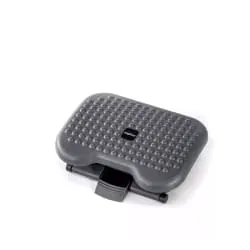
Sitting on one or both legs may seem comfortable at first, but it limits circulation and unbalances posture. Try to rest both feet on the floor or on a footrest to maintain a more stable and balanced position.
Making abrupt movements, especially when turning or reaching for objects, can overload the neck, back and shoulders. Try to turn with your whole body and place the materials you use frequently within your reach.
Positioning the light source poorly can cause reflections on the screen and make you adopt forced postures without realising it. Use curtains, blinds or change the orientation of the desk to work with more comfortable lighting.
Looking after the way you sit is an investment in health and wellbeing. A good chair, a suitable table and small daily habits can help you work more comfortably and prevent discomfort in the long term.


