


















 Shopping guides
 Help
 Log in

What is office worker's neck: solutions and prevention
A practical guide to understanding why it occurs and how to relieve it
Office worker's neck is a common way of describing neck discomfort caused by spending many hours sitting in front of a computer, usually while maintaining the same posture, with the head leaning forwards and little movement throughout the working day. Although it is not a medical diagnosis as such, it does refer to a very common problem among people who work in offices or from home.
This type of discomfort is usually felt in the neck, the back of the neck, the shoulders and the upper back. It may appear as tension, stiffness, muscle fatigue, pain when turning the head or a feeling of strain at the end of the day.
The good news is that, in many cases, office worker's neck can be improved through simple changes to posture, workstation setup, active breaks and the furniture used. This guide explains what it is, why it occurs and how to prevent it in everyday life.
Article index
- A practical guide to understanding why it occurs and how to relieve it
- What is office worker's neck?expand_more
- Tips for improvement if you have office worker's neck
- How to prevent office worker's neck
- Simple exercises to relieve neck tension
- Common mistakes that make office worker's neck worse
- Key ways to look after your neck during the working day

What is office worker's neck?
Office worker's neck occurs when the cervical area is subjected to excessive tension for many hours at a time. This usually happens when working on a computer, looking at a mobile phone with the head tilted or sitting in an unsuitable position for long periods.
One of the most common postures is leaning the head forwards towards the screen. When this happens, the neck is no longer aligned with the back and the neck muscles have to work harder to support the head. As the hours pass, this tension can build up and cause discomfort.
It may also occur if the monitor is too low, if the chair does not provide adequate support, if the desk is not at the right height or if you work on a laptop without an external stand. In these cases, the body tends to adapt to its surroundings, even if this means adopting unhealthy postures.
If you already experience frequent discomfort, you may find this guide on neck pain while working helpful, as it provides further recommendations for reducing neck tension throughout the working day.

Why does this happen?
Office worker's neck is usually caused by a combination of poor posture, lack of movement and a poorly designed workstation. It is not always due to a single factor, but rather to small habits repeated day after day.
One of the most common causes is working with a poorly positioned screen. If the monitor is too low, the head tilts forwards. If it is too high, the neck is forced upwards. In both cases, the neck muscles are overworked.
Another important factor is prolonged laptop use. Although practical, it does not always encourage good posture because the screen and keyboard are attached. This forces you to choose between positioning your hands correctly and positioning the screen correctly, but rarely allows you to do both at the same time.
A lack of breaks also plays a role. Remaining seated for hours without moving reduces circulation, increases stiffness and causes tension to build up in the neck, shoulders, back and even the legs. In fact, many posture-related problems are interconnected, as is also the case with leg pain when standing up after spending too much time sitting down.
Tips for improvement if you have office worker's neck
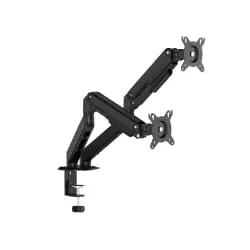
To reduce neck tension, it is important to adapt your workspace and maintain a more natural posture. The screen should be directly in front of you, with the top approximately at eye level. If you use a laptop, a stand with an external keyboard and mouse can help you avoid constantly tilting your head.
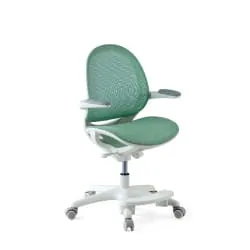
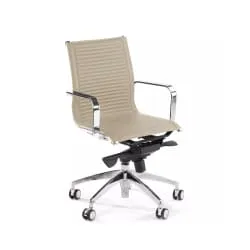
Your back should rest against the backrest, your shoulders should remain relaxed and your feet should be firmly supported on the floor. In this respect, using a good ergonomic chair for your back can make a significant difference. A good chair allows you to adjust the height, properly support the lumbar region and maintain a more stable posture throughout the working day.
It is also important to take short breaks. From time to time, stand up, move your shoulders, gently turn your neck and change position. There is no need to follow a long routine: a few seconds of movement several times a day can help reduce stiffness.
If the pain is severe, appears suddenly, radiates down the arm, causes tingling or does not improve with changes in posture, it is advisable to consult a healthcare professional for an assessment.
How to prevent office worker's neck
Prevention involves creating a workspace that is adapted to your body. Adjust your chair, position the screen at the correct height and avoid working with your neck turned or tilted for long periods.
Good lighting is also important to prevent you from moving too close to the monitor or adopting strained postures. For those who work from home, choosing the right furniture is especially important. High-quality chairs for working from home help create a more comfortable workspace and prevent reliance on dining chairs or makeshift seating that is not designed for long working days.
Simple exercises to relieve neck tension
In addition to improving ergonomics, some gentle movements can help reduce tension that has built up in the neck and shoulders. They should be performed slowly and without straining; if you experience severe pain or dizziness, it is best to stop.
One simple exercise is to draw your chin slightly backwards to correct forward head posture. You can also gently tilt your head to each side to stretch the neck and roll your shoulders to release tension in the trapezius muscles.
These movements can be incorporated into your daily work routine, although they are not a substitute for a professional assessment if the discomfort persists.
Common mistakes that make office worker's neck worse
One of the most common mistakes is working for hours with a laptop placed directly on the desk. This position usually leaves the screen too low and forces you to tilt your neck forwards. To avoid this, it is best to raise the laptop and use an external keyboard and mouse.
Another common mistake is sitting on the edge of the chair without supporting your back. Although it may initially seem like an active posture, over time it often causes fatigue, slouching and increased tension in the neck and shoulders.
It is also common to position the monitor to one side and work with the neck turned. This posture may seem comfortable for a few minutes, but maintaining it for hours creates an uneven load on the neck muscles.
Finally, many people wait until they feel pain before moving. It is advisable to take preventive breaks before discomfort appears. Changing position, standing up and gently moving your neck helps prevent tension from building up.
Key ways to look after your neck during the working day
Office worker's neck is usually linked to repeated habits: a poorly positioned screen, an unsuitable chair, a lack of breaks and postures held for too long. That is why prevention begins with reviewing how you work each day.
Adjusting the height of the screen, properly supporting your back, using an ergonomic chair and taking active breaks can help you reduce neck tension and work more comfortably.
Remember that the goal is not to maintain perfect posture for eight hours, but to alternate positions, move frequently and create an environment that encourages a natural posture. With small, consistent changes, it is possible to prevent many problems and take better care of your neck during your daily work.


