













 Shopping guides
 Help
 Log in

What are the must-have accessories for your gaming setup
The gaming accessories that improve comfort, tidiness and performance
Have you ever wondered what sets an average gamer setup apart from a truly epic one? The answer usually lies in the details, and yes, we are talking about gaming setup accessories. It is not enough to have a good gaming chair, tower or a 4K screen, since the environment, comfort and functionality also count, and a lot! In this article we will go over the gaming accessories for your setup that really make a difference and how to choose them without falling into unnecessary purchases.
Article index

Why add accessories to your gaming setup?
Investing in accessories for gamers is not just a matter of aesthetics (although the visual factor always adds points). The right add-ons can boost your performance, improve your posture and extend the useful life of your equipment. That said, as with everything, balance is key. Does it really pay off to spend 100 € on an RGB mousepad if your mouse does not respond well? Probably not.
The real challenge lies in knowing how to prioritise. Choosing the ideal accessories for your gaming space requires taking into account the available space, the budget, compatibility and, above all, your own gaming habits. We will tell you how to get it right.

1. Ergonomic gaming chair
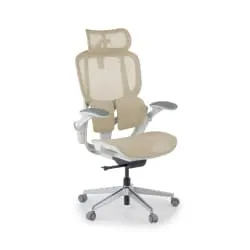
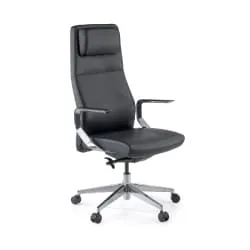
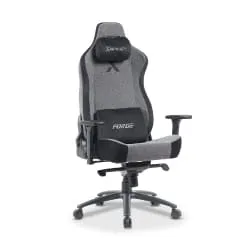
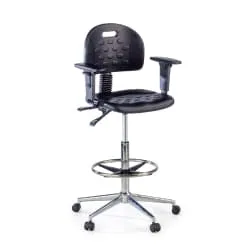
Your back will thank you. A comfortable gaming chair is not a luxury, it is an investment in health. The thing is that when you have been playing for three hours straight, posture is everything. Models with lumbar support, adjustable armrests and an enveloping design will let you focus on the game without ending up with neck pain.
Do you want style as well as comfort? Take a look at a white gaming chair. They look spectacular and combine well with minimalist setups.

2. Spacious gaming desk
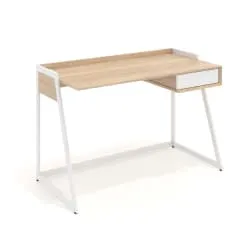
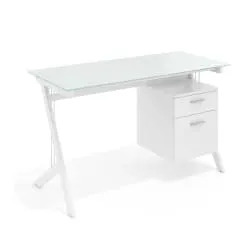
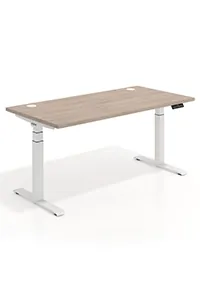
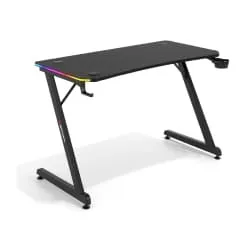
You can never have too much space. Having a large and sturdy gaming desk gives you freedom to organise monitors, speakers, console, keyboard and everything else without feeling trapped. If you can, go for one with adjustable height or even a standing desk to change your posture.

3. Smart RGB lighting
Not just for aesthetics. Good lighting helps reduce visual fatigue, especially during night sessions. You can place LED strips behind the monitor or on the edge of the desk. In addition, many RGB accessories sync with the sound or with the game. Flashy? Yes. Useful? Also.

4. Stands for headphones and controllers
Where do you leave your headphones when you are not using them? And the controller? Having a stand or charging base not only keeps things tidy, it also prevents them from deteriorating. There are models that charge your controller while it rests and even offer extra USB ports. Sometimes, tidiness really does change everything.
5. USB hub or concentrator
Picture this: you are about to start an online game, and you need to connect your mouse, keyboard, webcam, microphone and headphones. And of course, the laptop only has two ports. This is where the USB hub comes in, allowing you to expand connectivity without compromising speed. Some even come with individual switches per port.

6. Extended mousepad
It is not just for the mouse. XL mousepads cover a large part of the desk and allow smooth movements without worrying about edges. In addition, they help stabilise the keyboard and protect the surface. If you add RGB lighting or wireless charging, you have the perfect combo.
7. Articulated monitor arm
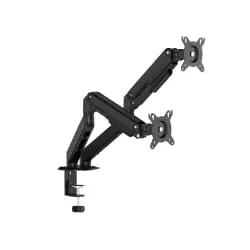
Does it not bother you when the monitor sits too low or too close? An adjustable articulated arm solves that and, in addition, frees up space on the desk. You can place it at the exact height to improve your posture, avoid reflections and gain visual field. In setups with several monitors it is almost essential.

8. Cable management systems
Untidy cables can ruin even the most spectacular setup. Good management not only provides visual cleanliness, it also makes maintenance easier and helps prevent accidents. Cable trays, ties, clips or trays under the desk are simple but very effective allies. Every detail counts when it comes to building a tidy and functional gaming space.
9. External microphone or professional headset
If you play online, communication is essential. A good microphone not only improves audio quality: it also reduces background noise and transmits your voice with total clarity. Another option are professional headsets, which combine a high-performance microphone with noise cancellation and surround sound. In this case, it really is worth investing: good communication can make the difference between victory and defeat.

Which accessories should you prioritise?
The key lies in prioritising according to your needs. If you tend to spend long hours in front of the screen, the first thing is to invest in ergonomics: a good chair and a comfortable desk will make the difference. Once you have the base sorted, it is time to elevate the visual and functional aspect of your space. Play with the lighting, add stands, install an articulated arm for the monitor… every detail counts.
Remember that accessories for a gamer setup do not only add style: they completely transform your gaming experience.
And you, which of these accessories are already part of your gamer corner and which ones do you have your eye on? In the end, designing the perfect setup is a personal journey — but with the right add-ons, every stage is much more enjoyable.

How to choose accessories without overbuying
When putting together a gamer setup, it is easy to get carried away by the aesthetics. However, it is best to start with what really improves comfort and everyday use.
If you are building your setup from scratch, prioritise the chair, the desk and the monitor placement first. Afterwards you can add a keyboard, mouse, mousepad and headphones. Later on, once the functional part is sorted, you can complete the space with lighting, stands, cable management and decorative details.
If you also want to combine gaming and studying in the same area, you can get inspiration from this guide on how to build a perfect gamer setup to play and study. And if you are thinking about transforming the whole room, you may also be interested in this article about how to set up a gaming room.
A good gamer setup does not have to be the most expensive one nor the one with the most accessories. What matters is that it is comfortable, tidy and adapted to your way of playing. If you also manage to make it match the style of your room, you will have a much more pleasant space to enjoy for hours.


