














 Shopping guides
 Help
Help
 Log in

Build your perfect gamer setup to play and study
Having a good gamer setup not only improves your gaming experience, it can also help you study, work or focus better in front of the computer. In the end, it is not only about having a powerful PC or a large screen: you need a comfortable, tidy space adapted to your routines.
A well thought out setup should combine performance, ergonomics, lighting, organisation and style. This way, you will be able to enjoy your gaming sessions, prepare assignments, attend online classes or spend long hours at the desk without your back, your concentration or your productivity suffering.
Essential Equipment for a Gamer Setup
In this guide we explain how to build a perfect gamer setup to play and study, which elements should not be missing and how to organise your space so that it is functional, comfortable and visually appealing. If you are starting from scratch, you can also check out our guide to accessories for your gaming setup.
Article index

PC and Hardware: Technical Requirements
A good PC is the heart of any gamer setup. It is essential that it has the right components to guarantee smooth performance in games and study tasks. The minimum requirements you should consider include a powerful processor, at least 16GB of RAM, a quality graphics card, and enough SSD storage to reduce loading times.
For gaming, a dedicated graphics card such as the NVIDIA GeForce RTX or the AMD Radeon is essential. In addition, make sure your PC has good cooling to avoid overheating during long usage sessions. For studying, the processor and RAM will play a crucial role in how quickly and efficiently your PC handles editing, design or any specialised software you need.

Monitors: Resolution and Refresh Rate
Choosing a monitor can make a big difference to your user experience. For gaming, look for a monitor with a high refresh rate (at least 144Hz) and low latency to get smoother images and quick reactions. Resolution is also important. A 4K monitor offers superior image quality, but a 1080p or 1440p monitor may be sufficient and more affordable.
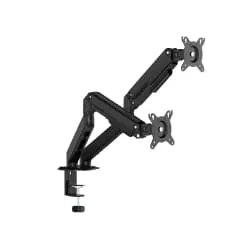
For studying, a monitor with good resolution is vital to reduce eye strain during long periods of reading or working. You could also consider monitors with height and rotation adjustment for a proper ergonomic posture.

Peripherals: Keyboard, Mouse and Headphones
Peripherals are the interface between you and your PC, so they must be high quality and suitable for both gaming and studying. A good mechanical keyboard can offer a comfortable and precise typing experience, and it is highly valued in the gamer community for its durability and tactile response. An ergonomic mouse with good sensitivity and precision is crucial for high intensity games and detailed tasks.
Quality headphones not only improve your immersion in games but can also be useful during video calls or for listening to music while you study. Look for headphones with noise cancellation to minimise distractions.

Gaming Chair: Comfort and Ergonomics
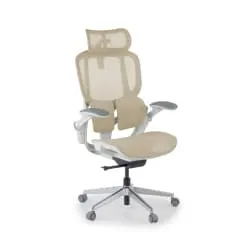
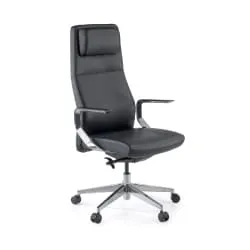
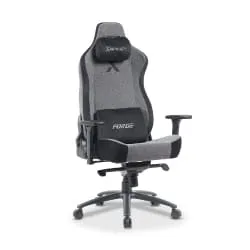
Spending long hours seated can affect your health if you do not have a suitable chair. An ergonomic gaming chair offers lumbar support, adjustable armrests and a padded seat that adapts to your posture. Comfort is key to maintaining concentration both while gaming and while studying, so invest in a chair that gives you the support you need to avoid back pain and improve your posture. At Officechair365 you will find a wide catalogue of gaming chairs and ergonomic chairs. We are specialists in ergonomics and health, so if you have any doubts, contact our team and we will help you choose the model best suited to your needs. If you are comparing models, we recommend checking our guide on how to choose a gaming chair, where we explain which aspects are worth keeping in mind before buying.

Lighting: LED Strips and Ambience
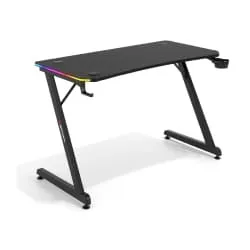
Lighting plays an important role in creating an immersive and appealing atmosphere. LED strips are a popular addition to gaming desks, as they let you personalise the colours and effects to suit your preferences. Place them behind your monitor, desk or shelves for an enveloping effect.
In addition, good ambient lighting can improve your concentration and reduce eye strain. Consider adding adjustable desk lamps with white light for studying, and use LED strips to bring about a more relaxing atmosphere during gaming.

Furniture: Rugs and Shelves
Furniture not only adds functionality, but can also personalise your space. A rug not only provides comfort, but can also help define the area of your setup. Opt for a rug in colours or designs that complement your decoration theme. Shelves are useful for storing books, equipment and decorative items. A well organised shelf can serve to display your funko collections, action figures or any other object you like, adding personality and style to your setup.
If you want to take the idea a step further, you can check our guide on how to set up a gaming room, with tips to organise the space, choose the right furniture and improve the ambience.
Decorative Details: Funkos and Figures
Decorative details are what really personalise your space. Funkos and action figures are not only popular among gamers, but also add a personal and thematic touch to your setup. Arrange them on your shelves or on your desk so that they reflect your interests and passions.

Desk Organisation
Keeping a tidy desk is essential for a productive study environment. Use cable organisers to keep all the cables out of the way and avoid clutter. Desk organisers can help you keep your study supplies, notebooks and devices in their place.
A clean and organised desk not only improves your concentration, but also makes it easier to switch between gaming and study sessions without interruptions.

Efficient Storage
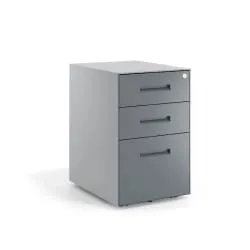
Efficient storage is key to keeping your space free of clutter. Use drawers, shelves and desk organisers to store your study materials and gaming accessories when you are not using them. Also consider using storage boxes under the desk to make the most of the available space.
Study and Play Zones
If space allows, divide your area into separate zones for studying and playing. This can help you switch your mindset from playing to studying and vice versa, improving your focus and productivity. Use furniture or even decorative elements to differentiate the zones and establish a clear flow in your space.

Practical Tips to Keep your Setup Tidy
-
Regular Cleaning: Spend a few minutes each day cleaning your space and tidying up any clutter.
-
Equipment Maintenance: Make sure your equipment is clean and well maintained to avoid performance problems.
- Setup Update: Reassess your setup periodically and make improvements or changes as needed to keep your space efficient and comfortable.

Personalise your gamer setup
Building the perfect gamer setup that also works for studying requires a combination of the right equipment elements and well thought out decoration. The key is to find the balance between functionality and style, ensuring that each component contributes to a comfortable, organised and personalised environment. By following these easy tips, we are convinced that you will be able to design the perfect gaming space. A place that not only improves your gaming experience, but also helps you study in a more efficient and effective way.
If you are still not sure which model to choose, you can check our guide to the best value for money gaming chairs, where we go over comfortable, sturdy options designed for different types of user. With good planning, you will be able to build a functional, appealing gamer setup, ready to accompany you both in your gaming sessions and in your study hours.


