






























 Shopping guides
 Help
Help
 Log in

Essential tools for remote working
Article index
Discover which are the essential tools for remote working that you cannot miss when starting your work from home. This is the way to ensure that everything will work well and your results will be optimal.
To carry out daily activities and achieve the proposed goals while teleworking, it is very helpful to have the essential tools for remote work. Right tools to ensure real fulfillment of our objectives is crucial. Having platforms for communication, working securely, and having a productive day are basic, and today we will review some of the most interesting ones.
For remote work, there are platforms, programs, and applications that facilitate interactions between team members. They also present the opportunity to finalize projects, edit and share files in real-time. Moreover they store and protect passwords, boost productivity levels among other features and functions that will be very helpful if you have to telework.
Having a good chair and a proper workspace
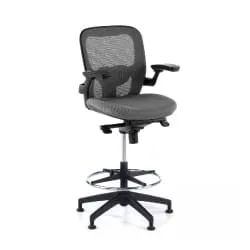
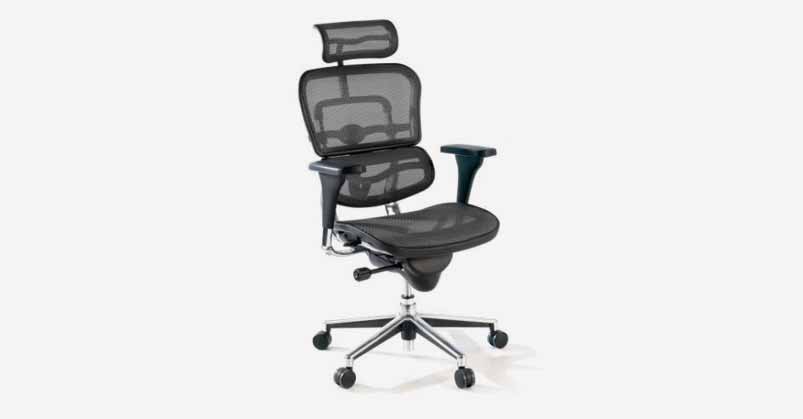
To start teleworking, it is also important to have the right space and a proper chair. The most important tool is probably the remote work chair.
In most homes, we do not have the appropriate furniture, and this can lead to long-term back pain and problems arising from poor posture. A proper workspace can prevent long-term issues and facilitate spending eight hours of work comfortably. Most people do not have an adequate space to work for so many hours. Therefore, first of all, check your workspace and especially your chair. Invest in a good ergonomic chair thinking of it as an investment in yourself, in your health, and that will last much longer.
Tools for organization in remote work
Among so many applications and platforms, some may share functionality while others are useful for achieving a specific goal. For example, among the tools to operate from home in an organized manner during a typical office workday, tools like Trello and other similar ones will be ideal for successfully completing each workday.

Trello
If it is about managing projects, this web interface software is the right one. Because it allows collaborative work, organizing projects, ideas, tasks, and files. This tool has a basic free version and a paid version with prices starting from USD 13/month.
Asana
One of the best tools for communicating and working as a team. It allows through project management to organize task lists, share files, plan strategies, and monitor the progress made until the project is completed. For a team of 15 people, the free version of Asana is recommended. If the team consists of a larger number of members, the paid version should be taken, which costs between USD 11.00 and USD 25.00.
Monday
If it is about managing projects and it needs to be done remotely, this operating system is recommended because it allows developing projects, processes, and tasks in a secure environment. The system is ideal for planning, organizing, assigning tasks, monitoring progress and possible failures, without requiring additional tools to do so. Monday has a 14-day trial version, and after this time, it has a basic cost of USD 39.00 per month with annual billing, which can vary according to the number of members, among other aspects.

Tools for online communication and videoconferencing
To work remotely, it is necessary to have a list of work tools that allow communication regardless of where the team members are located. Ideally, it should be possible to talk, see each other's faces, and share ideas without distance being an obstacle or barrier. Tools like Microsoft Teams, Slack, and Google Meet are the most recommended options for maintaining effective communication among team members.
Microsoft Teams
This tool is ideal for communicating privately or collectively with team members. But also for holding meetings and videoconferences with more than 10,000 people. We can do this by taking advantage of its functionality and establishing contact through a call from the phone system. You can also invite people who need to be present at certain moments or events even if they are not part of the team.
Google Meet
This platform came to transform the way of communicating through Google Hangout. At the business or professional level, it allows creating virtual meeting rooms and including a considerable number of people. It is also possible to connect with Google Calendar and Gmail email inbox and share screens to show slides and other files. To access Google Meet, it was necessary to have a membership in Google Suite; currently, the tool is free.
Slack
Fluid conversations through channels, conversation tracking, message history, video calls, voice calls, shared screens, or data security. These features are characteristics of this group communication tool that allows companies and teams to communicate and work productively through just one platform. Slack has a basic free version and three paid versions with more functions and prices starting from USD 6.67.

Tools for storing files
Physical storage devices are not efficient when it comes to backing up information. The need to access information from any location securely and with backups has fostered the emergence of services and platforms to store an almost unlimited amount of files and documents.
Google Drive
Stores files and allows access to them through computers, smartphones, tablets, any device that allows having them at hand. 15 GB of free storage is the capacity that Google Drive offers its users to store images, videos, documents, and other files. It also allows scanning physical documents and accessing images and files even without an internet connection.
Dropbox
This hosting service offers its users 2 GB of initial capacity to store their files. Encouraging them to get other people to join and also create an account on the platform in exchange for 500 MB for each person who joins, up to a maximum of 16 GB of capacity. This is one of the best file management tools. Because it allows storing files in a secure place and accessing them easily. It also synchronizes with other tools like Slack and Zoom to work with all of them simultaneously.
OneDrive
If it is about storage, this service stands out as one of the best tools for backing up and hosting files. It grants its users 5 GB of capacity to save their documents, and in some cases, like spreadsheets, it is possible to edit them from the platform.
Tools for storing passwords

Applications like Password, LastPass, KeePass, and Dashlane are among the best tools, and the most popular, when it comes to storing and protecting passwords. Although some of these password managers are paid versions, there are some with excellent features even in their free version. They have some limitations, such as the number of passwords to safeguard. However, that detail does not overshadow them if they have other features like extensions for applications and browsers or connection via their own VPN, among other benefits.
Essential tools for remote work: productivity
Avoiding procrastination, optimizing resources, making the most of time, and having better work habits may be somewhat complicated details to master or reinforce when working remotely. However, developers and IT professionals have taken advantage of technology to bring users applications, services, and tools. EffiWork, Connecteam, WorkFlowMax, Trello, QActivity, Time Doctor, and Tickspot permit monitoring time, activities, and the duration dedicated to each one. And tracking to measure the productivity levels of each individual. From there, they reinforce and improve any situation that may be occurring and undermining our productivity.
Office tools for teamwork
When it comes to sharing, reviewing, editing, and saving in real-time the changes made by one or several people at the same time, Google Docs and Google Spreadsheets are the ideal tools. Google Suite is a compilation of online tools or products where Gmail, Google Calendar, Google Docs, and Google Sheets stand out. The latter are the favorite options for multiple people to work together on the same document without needing to be in the same geographical location.
Clearly, the teleworker must have the necessary technological tools to carry out tasks remotely. For every need, task, or project requirement, there is an appropriate application, service, or platform. To help us carry out the activity in the most practical way possible. So if you are going to telework, it is essential to identify your needs. And acquire the essential tools for remote work, and this way, your performance and satisfaction will surely be much greater.


