













 Shopping guides
 Help
Help
 Log in

Work from home setup: a guide to comfortable remote working
Article index
- What a good work from home setup should be likeexpand_more
- The base of the setup: work chair and deskexpand_more
- Screen, keyboard and mouse: set up your work area properlyexpand_more
- Lighting, order and working atmosphereexpand_more
- Adapt the setup to the real space you have at homeexpand_more
- What setup you need according to your remote working routine
- Common mistakes when building a work from home setup
- Conclusion: build a setup that works in your favour
Building a good work from home setup is not just about putting your laptop on a table and sitting on the first available chair. If you spend several hours a day working remotely, your space should help you keep a comfortable posture, concentrate better and separate, as far as possible, your working day from home life.
In this guide you will find a practical way to build a comfortable, functional and ergonomic remote working setup. We will look at which elements really matter, how to position them, which mistakes are worth avoiding and which small changes can greatly improve your day to day without having to renovate an entire room.


What a good work from home setup should be like
A well-planned setup should meet three goals: look after your posture, make it easier to concentrate and adapt to the real space you have at home. Working in a dedicated room is not the same as working in a corner of the living room, but in both cases you can build a comfortable and efficient area if you choose the main elements well.
The key lies in building a solid base: a chair that lets you rest your back properly, a stable desk, a screen positioned at a suitable height, good lighting and an organisation that avoids distractions. From there you can add accessories, decoration or storage solutions, but always with a clear purpose.
Prioritise comfort, functionality and order
Before buying accessories, it is worth reviewing what you really need. A functional setup does not have to be full of gadgets: it should solve the tasks you do every day well and help you work without discomfort.
If you want to go deeper into the postural side, you can complete this guide with our tips on ergonomics in remote working, where we explain in more detail how to adapt the space to the body and not the other way around.

The base of the setup: work chair and desk
The chair and the desk are the two elements that most affect the comfort of the space. You can improve the screen, add a lamp or reorganise the cables, but if the base is not right, the setup will keep causing discomfort.
Choose a chair designed to work for hours
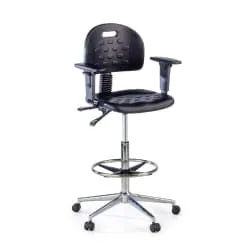
The chair is the piece that most influences your daily comfort. A dining chair may do for the occasional video meeting, but it is not designed to work for hours. For a remote working setup, the advice is to choose a chair with a comfortable backrest, lumbar support, adjustable height and a stable base.
It is also important that the seat lets you rest your feet on the floor or on a footrest, keep your back supported and place your arms in a relaxed position. If the chair does not adapt to you, you will end up compensating with bad postures: raised shoulders, a hunched back or a forward-leaning neck.
If you are building your space from scratch, a good option is to start with the main category of office chairs, where you can compare models for the study, the desk and remote working. And if you are looking for an option more focused on working from home, you can also check our selection of home office chairs, designed for long days in domestic spaces.
Pick a stable desk with enough surface
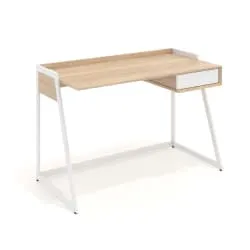
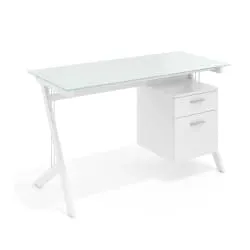
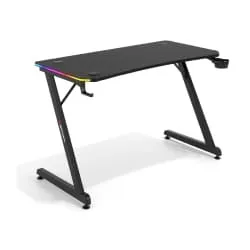
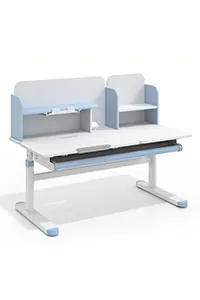
The desk should not be chosen for aesthetics alone. You need a stable surface, with enough depth to separate the screen from your eyes and with room to rest your forearms, keyboard, mouse, documents and some basic accessory without everything getting piled up.
If you work with a laptop, an external monitor or several open windows, the width and depth of the desk become even more important. A small desk may seem enough at first, but it limits your posture and encourages clutter. For a longer-lasting setup, it is worth considering desks with a good working surface and a sturdy structure.

Screen, keyboard and mouse: set up your work area properly
Once the base of the setup is sorted, it is time to review how you interact with the computer. The position of the screen, the keyboard and the mouse directly affects your neck, shoulders, wrists and visual fatigue.
Place the screen at a comfortable height
One of the most common mistakes when working from home is using the laptop as your only device throughout the day. The screen ends up too low and that usually leads to tilting your head forward. As the hours go by, that posture can build up tension in your neck, shoulders and upper back.
The ideal is to raise the laptop with a stand and use an external keyboard and mouse. If you work many hours, an external monitor can greatly improve comfort, especially if you do analysis, design, editing, document management or frequent video calls.
As a reference, the top of the screen should be roughly at eye level, avoiding reflections and keeping a comfortable distance. To go deeper into this adjustment, you can read the guide on how to place your computer monitor at the right height, which also explains how to organise a workstation with one or several screens.
Consider a second monitor if you work with several windows
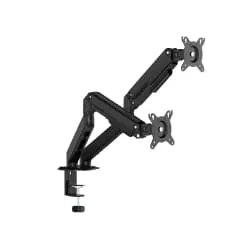
If your work involves comparing documents, using spreadsheets or having several tools open at once, a second screen can help you work more smoothly. That said, it is not about adding monitors without thinking: they should be well positioned, at a consistent height and without forcing you to turn your neck constantly.
Use an external keyboard and mouse if you work with a laptop
Accessories should help you work better, not fill the desk without purpose. An external keyboard and a comfortable mouse are especially useful if you work with a laptop, because they let you separate the screen from the typing area and keep your arms and wrists in a more natural position.
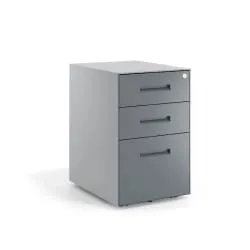
A laptop stand, a large mat, a footrest if you cannot reach the floor properly, and a small tray or drawer unit to store what you do not need in front of you all the time can also add value. On the other hand, it is worth avoiding decorative or technological accessories that take up space and do not solve any real need.

Lighting, order and working atmosphere
A comfortable setup does not depend only on the chair or the screen. Light, order and the general feel of the space also influence how you work, how much you concentrate and how you finish the day.
Make the most of natural light without creating reflections
Lighting affects both visual comfort and the general feel of the space. Whenever possible, place the desk near a source of natural light, but avoid the window being right behind the screen or directly in front of your eyes. Both situations can cause reflections, glare or visual fatigue.
A desk lamp with an adjustable arm is a good solution for cloudy days, winter afternoons or tasks that require more attention to detail. The important thing is that the light illuminates the work area without casting annoying shadows on the keyboard, the notebook or the screen.
Keep cables and accessories under control
A comfortable setup should also be easy to maintain. If every day you have to move papers aside, untangle chargers or look for a cable, your space will end up generating more friction than help. The organisation does not have to be perfect, but it does need to be practical.
Gather the cables with cable grommets, reusable ties or simple trunking. Keep only what you use daily within reach and reserve drawers, boxes or shelves for documents and secondary accessories. If this point is a problem in your space, we recommend expanding with the guide on cable management on the desk.
Personalise without overloading the desk
A pleasant space helps you work better, but it is not a good idea to fill the desk with decorative objects. A small plant, a simple print or an auxiliary shelf can add warmth without interfering with the work area.
The idea is for the setup to feel comfortable and visually pleasant, but to remain practical. If something takes up space, gathers dust or forces you to move it constantly, it probably should not be on the main surface of the desk.

Adapt the setup to the real space you have at home
Not every home has a spare room to turn into a study. That is why the best setup is not always the biggest one, but the one that best fits into your home and lets you work comfortably without invading the rest of the house.
If you work in a dedicated room
When you have a room to work in, you can plan a more stable setup: a large desk, an ergonomic chair, an external monitor, storage and lighting designed for the whole day. In this case, it is worth taking special care with the layout so the space does not turn into a storage room with a computer.
If you work in the living room or a shared corner
If you work in the living room, go for a compact desk, a chair that is comfortable but visually integrated and closed storage solutions to put the material away when you finish. If you only have a corner, try to make sure it has good light, sockets nearby and as little noise as possible.
In every case, mark a clear boundary between working time and rest time: putting the laptop away, switching off the lamp or leaving the chair in place can help you mentally close the day.
What setup you need according to your remote working routine
Not everyone needs the same level of equipment. Someone who works remotely one day a week does not need the same setup as someone who works eight hours a day from home. This comparison can help you set priorities:
| Type of setup | Who it suits | Recommended elements |
|---|---|---|
| Basic | Occasional remote working or a few hours a day | Comfortable chair, stable desk, good light and a raised laptop |
| Intermediate | Frequent remote working several days a week | Ergonomic chair, external monitor, keyboard, mouse and cable management |
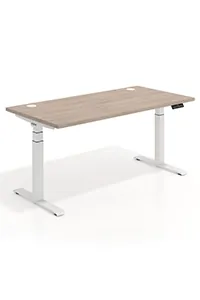
| Complete | Long days or 100% remote work | Premium ergonomic chair, ergonomic standing desk, adjustable monitor, careful lighting, footrest and cable management |

Common mistakes when building a work from home setup
When building a work from home setup, it is easy to get carried away by aesthetics or eye-catching accessories. However, the most common mistakes are usually in the base of the space:
- Choosing a chair for its design alone: if it is neither comfortable nor adjustable, it will end up affecting your posture.
- Always working with the laptop low: it forces you to tilt your neck for too many hours.
- Using a desk that is too small: it limits movement and encourages clutter.
- Positioning the screen with reflections: it increases visual tiredness and makes concentration harder.
- Not managing the cables: it makes the desk look more chaotic and less functional.
- Overloading the decoration: a pleasant space does not need to be full of objects.
Conclusion: build a setup that works in your favour
A good work from home setup does not have to be perfect or expensive from day one. What matters is that each element makes sense: a chair that looks after your posture, a stable desk, a well-positioned screen, good lighting and a desk you can keep tidy effortlessly.
Start by reviewing what bothers you now: back pain, little space, poor light, cables everywhere or a lack of concentration. Then improve the setup by priorities. Sometimes, changing the chair, raising the screen or reorganising the desk is enough to notice a big difference. If you are renewing your remote working area, you can start with the base: a good office chair and a comfortable desk. From there, the rest of the setup will be much easier to build.


