













 Shopping guides
 Help
 Log in

At what height and how to correctly recline an office chair
If you spend many hours in front of a computer, adjusting your chair correctly is no minor detail: it affects your comfort, your posture and the tension that builds up in your back, neck and shoulders. Therefore, as well as choosing a good office chair, it is important to know how to adjust each mechanism.
Article index
In this guide, we explain how to recline an office chair, what types of recline mechanisms are available and which other adjustments you should check to work in a more comfortable and healthy posture.


Simple recline mechanisms
Office chairs usually come equipped with basic mechanisms that allow you to adjust the recline of a chair's backrest easily. These options are designed for users looking for practical adjustment without too many levers or complex settings.
One of the most common systems is the “rocking” or tilt mechanism. This allows the backrest to recline when you apply pressure with your body. It is a useful solution for slightly changing your posture, relieving back tension for a few minutes or taking short breaks without getting up from the chair.
The main advantage of these mechanisms is their ease of use. They are also commonly found in affordable, functional models, making them a good option if you need a practical chair for studying, working from home or furnishing a home office.
However, these systems do not always allow you to set an exact recline angle or offer highly precise adjustment. If you work sitting down for many hours, it is worth considering models with more comprehensive adjustments or finding out why the office chair you use affects your health.
If you are looking for a functional design that is easy to coordinate with any desk, a white office chair can be a good choice for maintaining a bright and tidy workspace.

Complex recline mechanisms
For those who need a more personalised adjustment, advanced mechanisms are a more comprehensive option. This group includes systems such as synchronised mechanisms, multi-lock mechanisms and office chair recline mechanisms that can be locked in different positions.
A synchronised mechanism allows the backrest and seat to recline in a coordinated way. This helps maintain a more natural posture, as the movement follows the body and distributes weight more evenly. Locking models, on the other hand, allow you to secure the backrest at the most comfortable angle for working, reading or resting.
Although these mechanisms are usually found in mid-range or high-end chairs, they offer more precise adjustment and are better suited to long working days. They are particularly recommended if you alternate between tasks, spend many hours sitting down or need more stable support for your lower back.
For children and teenagers, it is also important to choose a chair that enables them to maintain the correct posture while studying. You can view this selection of children's and teenagers' desk chairs if you are looking for an option suited to their height and needs.
If you also need to handle the frame of your chair, adjust parts or replace a component, this article on how to assemble or disassemble an office chair can help you do so more safely.
What is the most suitable recline angle for a desk chair?
The ideal angle depends on how you use the chair. When working at a computer, it is best to maintain a position close to 90 or 100 degrees, with your back supported by the backrest and your shoulders relaxed. This posture helps reduce strain on the spine and promotes a more stable position throughout the working day.
If you need to rest for a few minutes, you can recline the backrest a little further. A wide recline angle of around 120 or 135 degrees can be comfortable for short breaks, phone calls or reading, provided that the chair maintains good lumbar support and does not strain your neck.
It is important to avoid working for long periods with the backrest reclined too far or without properly supporting your back. Correctly adjusting the recline of a chair's backrest helps distribute body weight more evenly and may prevent muscular discomfort associated with poor posture.
What other factors should I consider when adjusting my chair's recline?
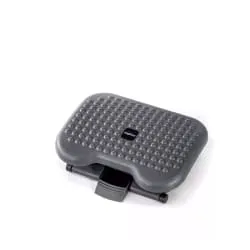
In addition to the recline, it is essential to adjust the seat height. Ideally, your knees should form an angle of approximately 90 degrees and your feet should rest completely flat on the floor. If your feet do not reach the floor properly, using a footrest may help improve your posture.
Lumbar support is also key. Make sure that the backrest follows the natural curve of your lower back. If the chair does not provide sufficient support, you will tend to slouch or lean your body forwards, which can cause discomfort as the hours pass.
The firmness of the seat directly affects comfort. Padding that is too soft may sink and lose support, while padding that is excessively firm may become uncomfortable during long working days. It is advisable to find a balance between comfort and stability.
Finally, check the position of the armrests. They should allow your arms to rest with your shoulders relaxed and your elbows at an angle close to 90 degrees. A good combination of height, backrest, recline and armrests makes the difference between simply sitting down and working in a truly ergonomic posture.


