


















 Shopping guides
 Help
Help
 Log in

What is a Gantt chart and how to make one
Article index
The Gantt chart is one of the most widely used tools for planning and communicating projects. It represents tasks on a timeline using horizontal bars, so you can see at a glance what is being done, when, how long it takes and who is responsible. It is useful both for technical teams and for marketing, HR or any area that needs to coordinate activities and delivery dates.
Its popularity is no coincidence: it makes the complex simple. By turning tasks and deadlines into a visual view, it reduces uncertainty and makes tracking easier. You can also combine it with personal focus techniques such as the pomodoro method at work to move forward each day with well-defined time blocks.
.jpg)
What is a Gantt chart and what is it for?
A Gantt chart is a visual schedule that lets you organise and plan a project in a clear and structured way. Each task is represented by a bar whose length indicates its duration, and whose position reflects the start and end date on a calendar. This makes it easier to identify dependencies between tasks, overlaps and the critical paths that could affect deadlines. It also lets you see at a glance which activities are carried out simultaneously, which require priority attention and where bottlenecks may arise.
The Gantt is also a coordination and communication tool: it helps to align the team, inform stakeholders about progress and set clear expectations about timings and responsibilities. Among its most common uses are launching marketing campaigns, organising events, deploying software, redesigning a website, coordinating recruitment processes or any project that involves multiple tasks and people responsible. But it is also useful in personal projects, such as planning a move or preparing a trip.
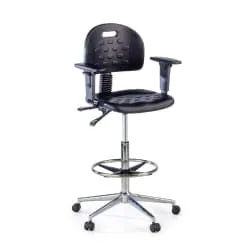
However, designing a good chart is not enough: keep in mind that the physical work environment directly influences your ability to concentrate and your stamina. Good posture with your ergonomic chair and a desk for remote work at the right height will help you keep long work sessions without fatigue.
.jpg)
How to make a Gantt chart step by step
Follow these steps and you will have a clear, realistic plan that is easy to communicate.
Step 1: define the objective and scope
Start with the „what for”. Describe the desired outcome, success criteria and deliverables. Defining the scope avoids unforeseen expansions and keeps the plan under control. Determine the target date and any immovable milestones.
Step 2: identify tasks and deliverables
Brainstorm everything needed and turn the vague into concrete actions. Break large tasks into manageable subtasks and build an ordered list. Each item should bring clear value to the objective.
Step 3: estimate duration and effort
Assign an approximate duration to each task. Use references from previous projects and consult with those who will carry them out. Differentiate between effort (working hours) and duration (calendar days) to avoid false expectations.
Step 4: establish dependencies
Determine which tasks must finish so that others can start. Mark „finish-to-start”, „start-to-start” or „finish-to-finish” relationships as appropriate. Visualising dependencies will let you detect bottlenecks early.
Step 5: choose the tool
You can use spreadsheets, dedicated software or project managers with a Gantt view. What matters is that it lets you edit dates easily, assign people responsible, flag milestones and update progress without friction.
Step 6: build the schedule
Place each task on the calendar according to its duration and dependencies. Group by phases, add key milestones and mark the critical path if your tool supports it. Check that the team's workload is reasonable and that there are no unfeasible overlaps.
Step 7: assign people responsible and resources
Define who will do each task and what resources it requires (budget, tools, approvals). Align expectations with each person and confirm their availability to avoid delays due to lack of capacity.
Step 8: monitoring and change plan
Set a review cadence: weekly, fortnightly or whatever fits best. Update progress, replan when the scope changes and record the agreements. A living Gantt is a working document, not a static snapshot.
.jpg)
Tips to get the most out of it
Use colours to differentiate phases or areas, limit the number of active tasks and highlight critical milestones. Avoid over-micromanaging: a good Gantt synthesises, it does not saturate. Reserve slack for the unexpected and communicate changes with transparency.
What is the difference between a Gantt and a simple task list?
The Gantt shows duration, dates and dependencies, not just what needs to be done. That is why it helps you anticipate overlaps, bottlenecks and the real order of execution, whereas a flat list does not offer that temporal visibility.
How do I update the Gantt without losing the history?
Work with versions: save a baseline and, when replanning, generate a new one. This way you compare plan and execution, detect deviations and learn from them in future planning.
Does it work for agile projects?
Yes. You can use mini-Gantts per delivery or release to align external dependencies and key milestones. At sprint level, the board view is usually more useful, but the Gantt brings context of dates.
Quick example
Imagine launching a corporate website. You define scope and objectives (week 1), research users and content (weeks 2-3), design the interface (4-5), develop (6-8), upload content (8-9), test (10) and publish (11). On the Gantt you will see overlapping bars — for example, layout can begin with the first screens while you finish the rest of the design — and clear dependencies between content creation and testing. When reviewing each week, you move dates if a scope change appears and you record agreements to keep the plan alive.
Tip: limit the number of simultaneous tasks per person and define simple rules for moving a bar (definition of done, acceptance criteria and minimum documentation). This discipline keeps the schedule readable and avoids the feeling of „everything urgent at once”.
Clear timings with Gantt
The Gantt chart brings clarity and control to any project. It helps you visualise timings, dependencies and responsibilities, makes team coordination easier and lets you anticipate risks. With a simple tool, review habits and daily focus, your planning will stop being an endless list and will become a realistic plan that moves forward.


